Video Annotation at Scale: From Frame-by-Frame Labeling to SAM 2

Share
  • Video annotation is the most resource-intensive form of data labeling in computer vision. A ten-second clip recorded at 30 frames per second produces 300 individual frames, each requiring objects to be identified, located, and labeled consistently across the temporal sequence. A dataset of one thousand such clips produces 300,000 frames. At that scale, manual frame-by-frame annotation is not simply slow. It becomes economically and operationally prohibitive.
  • The arrival of SAM 2 (Meta Segment Anything Model 2, released July 2024) changed the calculus for video annotation at scale. By introducing a streaming memory architecture that tracks objects across frames automatically, SAM 2 reduced annotation time per frame from 37.8 seconds using the original SAM in a frame-by-frame workflow to 4.5 seconds: an 8.4x speedup confirmed in Meta research published at ICLR 2025. For teams managing large video datasets, that figure represents the difference between a project that is feasible and one that is not.
  • Quick Answer: SAM 2 for Video Annotation
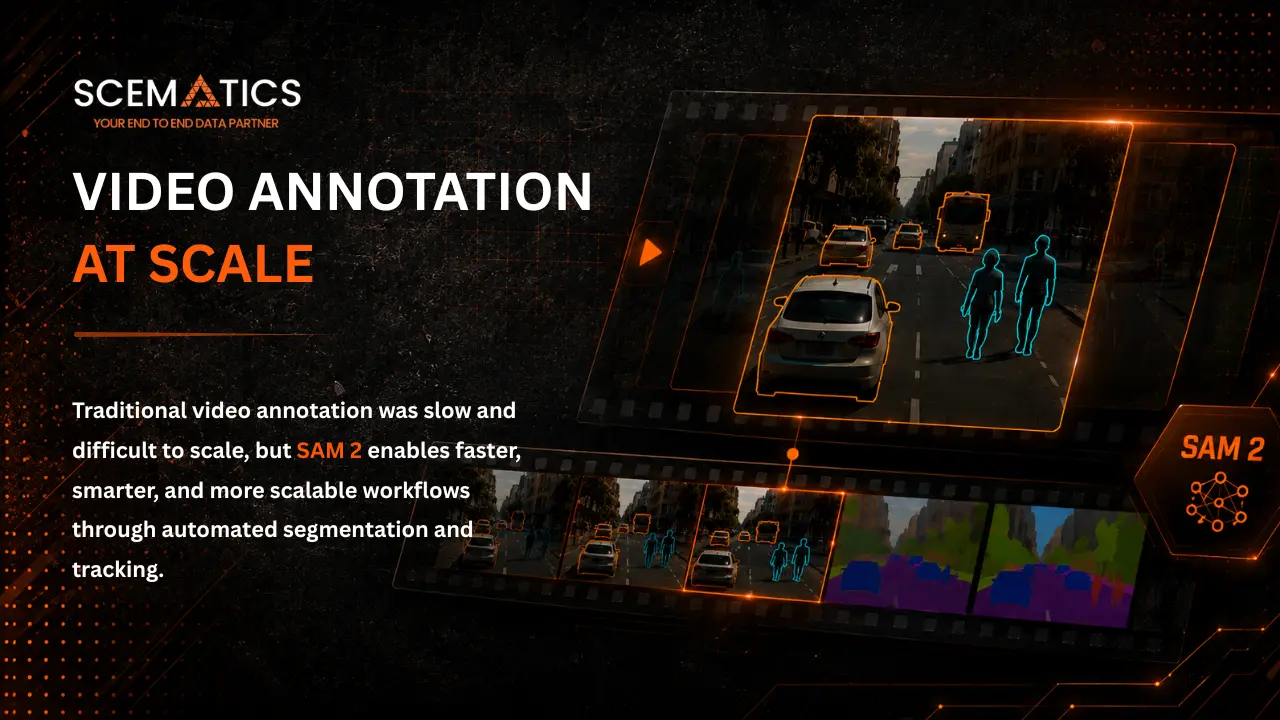
    Video Annotation at Scale: From Frame-by-Frame Labeling to SAM 2

    SAM 2 reduces video annotation time from 37.8 seconds per frame (frame-by-frame with SAM 1) to 4.5 seconds per frame, an 8.4x speedup published in Meta ICLR 2025 research. It achieves this by tracking objects across frames from a single keyframe prompt using a streaming memory architecture, eliminating the need to re-identify objects on every frame. The model also handles occlusions automatically through a dedicated occlusion head that suppresses mask output when the target object is not visible.

  • 8.4x annotation speedup over frame-by-frame video labeling (Meta ICLR 2025 benchmarks)
  • 3x fewer user interactions required compared to prior video segmentation methods
  • Streaming memory propagates object masks forward from a single keyframe prompt
  • Occlusion head suppresses incorrect masks when objects are hidden, then resumes tracking when they reappear
  • Real-time inference at approximately 44 FPS on a single NVIDIA A100 GPU
  • Why Frame-by-Frame Video Annotation Breaks Down at Scale

    Frame-by-frame video annotation treats a video as an ordered collection of individual images. An annotator opens frame 1, draws bounding boxes or segmentation masks around each object of interest, moves to frame 2, and repeats. This approach works acceptably for short clips with a small number of objects and a slow frame rate. It fails in every other scenario.

    The Volume Problem

    The fundamental issue is multiplicative. A one-minute video at 24 frames per second produces 1,440 frames. A dataset of 500 such videos produces 720,000 frames. Meta SAM 2 research measured the baseline annotation time at 37.8 seconds per frame for production-quality labeling using frame-by-frame methods with SAM 1. At that rate, annotating 720,000 frames requires approximately 7,560 hours of work. At a standard 40-hour working week, that is nearly four years of a single annotator time. No reasonable annotation budget or timeline accommodates that.Even at lower frame rates, the numbers remain impractical. Annotation projects for autonomous vehicle datasets, drone footage analysis, and surveillance video typically require tens of millions of labeled frames. Frame-by-frame manual annotation is not a scalable path to those numbers.

    The Consistency Problem

    Beyond raw volume, frame-by-frame annotation introduces consistency problems that degrade training data quality. When an annotator labels object boundaries independently on each frame, the position and shape of the mask fluctuate between frames in ways that reflect human variation rather than actual object movement. This creates a labeling artifact called bounding box drift or mask jitter, where the training signal teaches the model that object boundaries are noisier than they actually are.Consistency also breaks down across annotators on long projects. An annotator who labeled the first 10,000 frames of a video dataset interprets edge cases differently from the annotator who labels frames 50,000 to 60,000. Without a mechanism that propagates annotations from keyframes to intermediate frames automatically, there is no structural way to enforce consistency across the dataset.

    The Object Identity Problem

    In video annotation, objects must retain a consistent identity across the full clip. The same vehicle in frame 1 must carry the same label in frame 300, even if it is partially occluded in frames 150 to 200. Frame-by-frame annotation without automated tracking gives annotators no mechanical assistance in maintaining that identity. They must track it visually and manually, which is error-prone and becomes increasingly difficult as clip length increases, scene density increases, or occlusions become frequent.

    How SAM 2 Addresses Each of These Problems

    Video Annotation at Scale: From Frame-by-Frame Labeling to SAM 2

    SAM 2 was designed specifically for video segmentation, and its architecture addresses all three failure modes of frame-by-frame annotation in a unified way. Understanding the architecture helps explain why the throughput improvements are as large as they are.

    Streaming Memory for Temporal Consistency

    SAM 2 processes video frames one at a time in a streaming fashion. For each frame, the model image encoder generates feature embeddings from the current frame. A memory attention module then conditions those features on information stored in a memory bank from previously processed frames. The mask decoder uses both the current frame features and the memory context to produce a segmentation mask.This memory mechanism is the architectural innovation that makes SAM 2 fundamentally different from applying SAM 1 to individual frames. The model maintains a representation of the target object across time. When an annotator clicks on an object in the first frame of a clip, that object representation is stored in the memory bank and used to generate masks for subsequent frames without requiring additional clicks. The result is temporally consistent mask propagation from a single prompt.

    Occlusion Handling Through a Dedicated Prediction Head

    SAM 2 includes an occlusion head, a dedicated component that predicts whether the target object is present in each frame. When the model predicts that an object has become occluded or has exited the frame, it suppresses mask output for that frame rather than hallucinating a mask in an incorrect location. When the object reappears, the memory bank context allows SAM 2 to resume accurate tracking from the last known object state.This solves the object identity problem that plagues frame-by-frame annotation. The model maintains object identity through occlusions automatically, without requiring the annotator to re-identify the object in every frame where it reappears.

    Inference Speed That Makes Scale Feasible

    SAM 2 achieves real-time inference at approximately 44 frames per second on a single NVIDIA A100 GPU, using PyTorch 2.3.1 with automatic mixed precision. This inference speed holds for all model variants except the largest. The throughput is sufficient for real-time interactive annotation, meaning annotators are not waiting for model predictions. They are reviewing them as fast as they can navigate the timeline.

    Published Performance Benchmarks

  • Frame annotation time: 4.5 seconds per frame with SAM 2 vs 37.8 seconds per frame with SAM 1 frame-by-frame (8.4x speedup, Meta ICLR 2025)
  • User interactions: SAM 2 requires 3 times fewer interactions than prior state-of-the-art video segmentation methods
  • Real-time throughput: approximately 44 FPS on a single NVIDIA A100 GPU
  • Video benchmark results: state-of-the-art on MOSE, DAVIS17, and YTVOS19 video object segmentation benchmarks at release
  • Model size: SAM 2 Hiera-L (largest), SAM 2 Hiera-T (smallest, highest inference speed)
  • How to Structure a SAM 2 Video Annotation Workflow

    Integrating SAM 2 into a production video annotation pipeline requires more than switching on AI-assisted labeling. The workflow needs to be structured to capture the throughput advantage while maintaining the quality controls that production training data requires.

    Step 1: Define the Annotation Schema Before Processing Any Video

    Video annotation schemas must account for temporal behavior in ways that image annotation schemas do not. Before annotating a single frame, the schema should specify: which object categories are annotated, how object identity is maintained when objects enter and exit the frame, what constitutes an occluded object versus an out-of-frame object, the minimum number of visible pixels required before an object receives a label, and whether partially visible objects at frame edges receive annotations.These decisions need to be made at the schema level rather than left to annotator judgment. In a large video dataset, inconsistent handling of edge cases accumulates into systematic labeling errors that reduce model performance in exactly the scenarios where the model most needs reliable training signal.

    Step 2: Select Keyframes Strategically

    SAM 2 propagates masks forward through a video clip from any prompted frame, using its streaming memory to carry object state from frame to frame. The quality of propagation depends on how representative the prompted frames are of the object appearance and position across the clip.For short clips with limited object movement, a single keyframe prompt is often sufficient. For longer clips with significant object movement, appearance changes, or frequent occlusions, multiple keyframes are required. A practical keyframe selection approach: prompt on the first frame, verify propagation quality at the midpoint and end of the clip, and add keyframe prompts at any point where propagation accuracy falls below your quality threshold. This requires annotators to review the full propagated sequence rather than working frame by frame, which is structurally faster even when multiple keyframes are required.

    Step 3: Apply Human Review at the Propagated Mask Level

    The review workflow for SAM 2-assisted video annotation is fundamentally different from frame-by-frame review. Annotators review propagated mask sequences rather than individual frames, which means the review unit is the object track across the clip rather than the frame. An annotator checking a correctly propagated mask sequence for a single object across a 300-frame clip can do so far faster than reviewing 300 independent annotations.Structure the review workflow to flag frames where SAM 2 occlusion head predicted low confidence, frames where mask area changes significantly between adjacent frames (which may indicate tracking failure), and frames near the beginning and end of each object presence in the clip. These are the areas where propagation errors are most likely to occur.

    Step 4: Handle Occlusions Explicitly in Your Quality Protocol

    Object occlusion is the most common source of propagation failure in SAM 2-assisted video annotation. When an object is occluded for an extended period and then reappears, SAM 2 resumes tracking from the last memory state. If the object appearance has changed significantly during the occlusion (due to lighting change, viewpoint change, or partial disappearance), the resumed track may drift.

    For annotation projects with frequent occlusions, build an explicit re-prompt protocol: when an annotator identifies a tracking failure after an occlusion, they provide a new prompt on the first post-occlusion frame where the object is clearly visible. This correction is stored in the memory bank and propagates forward from that point. The total number of manual corrections required is significantly lower than frame-by-frame annotation even in occlusion-heavy footage.

    Quality Control for SAM 2-Assisted Video Annotation

    The throughput advantage of SAM 2 only translates into production value if the resulting annotations meet the quality thresholds required for model training. Quality control for SAM 2-assisted video annotation differs from both frame-by-frame annotation review and image annotation review.

    Step 5: Run an Independent Quality Verification Pass Before Export

    Propagated mask sequences should go through an independent quality verification pass before export to the training pipeline. The verification step should confirm that each object maintains consistent identity across the full clip, that occluded frames are handled according to the schema specification, and that mask boundaries are accurate on a sampled subset of frames rather than only on the keyframes.Meta SAM 2 data engine used a verification step in which a separate set of annotators classified each masklet as satisfactory or unsatisfactory before it was added to the training dataset. Unsatisfactory masklets were returned to the annotation pipeline for correction. For production annotation projects, building an equivalent verification stage is the quality control mechanism that makes SAM 2-assisted annotation reliable at scale.

    Quality Metrics to Track for Video Annotation Projects

  • Propagation success rate: percentage of object tracks that propagate accurately without manual correction required, measured on a sampled subset of clips
  • Re-prompt rate per clip: average number of keyframe re-prompts required per clip, broken down by clip length and object category, to identify categories or footage types where SAM 2 tracking performs poorly
  • Verification rejection rate: percentage of propagated mask sequences returned from the quality verification pass for correction, which indicates systematic issues with prompting strategy, schema clarity, or annotator calibration
  • Inter-annotator agreement on sampled frames: IoU between annotations from different annotators on the same frames, measured on a quality calibration sample to verify that schema interpretation is consistent across the annotation team
  • Common Failure Modes in SAM 2 Video Annotation

  • Extended occlusion drift: object tracking resumes inaccurately after long occlusions where object appearance changed significantly; addressed by re-prompt protocol on first clear post-occlusion frame
  • Category confusion in dense scenes: in scenes where multiple objects of the same category are close together, SAM 2 memory can occasionally assign masks to the wrong instance; addressed by careful keyframe selection and independent review of dense scene frames
  • Appearance change failure: objects that change appearance significantly between keyframes (different lighting conditions, large viewpoint changes) may cause propagation to fail gradually; addressed by adding keyframe prompts at points of significant appearance change
  • Greedy memory selection in long clips: research has shown that SAM 2 greedy memory selection can produce variable mask proposals in long clips without surfacing sufficient uncertainty; addressed by setting a maximum clip length for single-prompt propagation and requiring human review at regular intervals on longer clips
  • What SAM 2 Does Not Replace in Video Annotation

    SAM 2 accelerates the mechanical work of video annotation substantially. It does not replace the human judgment that determines annotation quality. Several aspects of video annotation remain human-dependent regardless of SAM 2 capabilities.

    Schema Development

  • The annotation schema that defines what to label, how to handle edge cases, and what quality thresholds apply is a human decision that must be made before any automated tool is applied. SAM 2 executes the schema it is given. It does not generate schema decisions.
  • Poor schema design produces poor annotations regardless of how accurately SAM 2 propagates masks. A schema that does not clearly define how to handle partially visible objects, objects that enter and exit the frame, or occlusion edge cases will produce inconsistent training data even when SAM 2 tracking is technically accurate.
  • Domain-Specific Judgment

  • In specialized annotation domains such as surgical video, drone footage in complex environments, or industrial inspection video, domain expertise is required to make labeling decisions that general-purpose annotators cannot make reliably. SAM 2 propagates masks accurately. It does not apply domain judgment to borderline cases.
  • Medical video annotation may require a clinician to determine whether a structure that appears briefly in frame is anatomically relevant and should be labeled. Industrial inspection annotation may require a quality engineer to classify whether a surface feature constitutes a defect. SAM 2 does not provide these judgments.
  • Quality Verification

  • An independent verification pass on propagated mask sequences requires human reviewers. SAM 2 tracking accuracy is high but not perfect, and systematic errors in propagation need to be caught before they enter the training dataset.
  • SAM 2 outputs a predicted IoU confidence score for each mask, but that score is not always a reliable signal in complex occlusion scenarios or long videos where object appearance changes significantly. Research has shown that SAM 2 greedy memory selection can produce variable mask proposals in these situations without surfacing sufficient uncertainty to the annotator. Human review is required to identify and escalate frames where the model output should not be trusted.
  • Video Annotation Use Cases Where SAM 2 Creates the Most Value
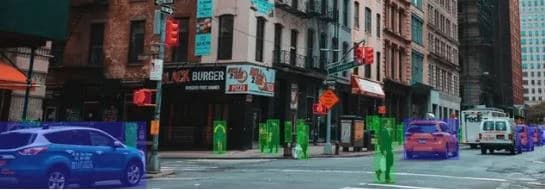
    Video Annotation at Scale: From Frame-by-Frame Labeling to SAM 2

    SAM 2 throughput gains are not uniform across annotation types. The model creates the greatest value in specific video annotation scenarios where frame-by-frame approaches are most prohibitively expensive.

    Autonomous Vehicle Dataset Annotation

  • Autonomous vehicle perception datasets require dense annotation of every object class (vehicles, pedestrians, cyclists, road markings, infrastructure) across long video sequences recorded at high frame rates. The object counts per frame are high and objects move continuously, making frame-by-frame annotation particularly costly.
  • SAM 2 streaming memory handles continuous object motion well and the occlusion head is specifically valuable for vehicle annotation where objects frequently pass behind other vehicles. Keyframe prompts at scene entry points for each new object, combined with re-prompts after occlusion events, produce consistently labeled training data at a fraction of the frame-by-frame cost.
  • Sports and Motion Analysis

  • Sports analytics annotation requires tracking players, the ball, and equipment across footage where objects move rapidly, change direction suddenly, and occlude each other frequently. Traditional frame-by-frame approaches are not viable for large sports analytics datasets due to the combination of high frame rates, dense object counts, and complex motion.
  • SAM 2 real-time inference speed and memory-based tracking handle rapid motion well. The primary challenge in sports annotation is the frequent occlusion and re-appearance of tracked objects, which requires a robust re-prompt protocol and careful keyframe placement at re-appearance points.
  • Drone and Aerial Footage Annotation

  • Aerial drone footage annotation for agricultural analysis, infrastructure inspection, and environmental monitoring involves long video sequences with objects that change scale as the drone changes altitude and angle. Frame-by-frame annotation is particularly expensive because the drone perspective makes manual annotation slower.
  • SAM 2 handles scale changes reasonably well when objects remain distinguishable, and the streaming memory architecture manages the gradual viewpoint changes typical of drone footage better than discrete frame-by-frame annotation. Dense agricultural imagery with many similar-looking objects (individual plants, rows of crops) benefits from SAM 2 tracking to maintain object identity across frames.
  • Medical and Surgical Video Annotation

  • Surgical procedure video annotation for AI-assisted surgical guidance systems requires precise tracking of tools, anatomical structures, and intervention sites across footage where lighting changes, blood, and rapid tool movement create difficult tracking conditions.
  • SAM 2 domain-specialist annotation is required in medical video: a general-purpose annotator cannot reliably identify which structures require labeling or make clinical edge-case decisions. However, SAM 2 can still provide significant throughput gains on the mask generation and propagation steps, with domain experts reviewing the outputs rather than drawing masks from scratch.
  • How Scematics Supports Video Annotation at Scale

    Scematics integrates SAM 2 into its video annotation platform, enabling annotators to use keyframe prompting and automated mask propagation within a workflow that includes configurable quality review stages, annotator performance analytics, and multi-format dataset export.

    Platform Capabilities for Video Annotation

  • SAM 2 native integration with keyframe prompting and automated mask propagation across frames
  • Configurable quality review stages: multi-stage review workflows with annotator and reviewer role separation
  • Annotator performance analytics: propagation success rates, re-prompt rates, review rejection rates tracked per annotator and per project
  • Multi-format export: COCO JSON, YOLO, Pascal VOC, YOLO Darknet, and Mask PNG for all video annotation outputs
  • Bring-your-own-model (BYOM) integration: custom fine-tuned models can serve as the pre-annotation engine alongside or in place of SAM 2
  • Managed Video Annotation Services

  • For teams that require domain specialist annotators rather than general-purpose labelers, Scematics in-house annotation team applies SAM 2-assisted workflows to projects in automotive, agricultural, medical, and industrial domains
  • Quality verification is built into the delivery pipeline: an independent verification pass runs on every completed project before dataset export
  • The annotation team has 15+ years of CGI experience, providing domain expertise for complex video annotation tasks that require specialized visual judgment
  • Scematics handles both high-volume throughput requirements and specialist domain annotation tasks within the same pipeline, removing the need to manage separate vendors for different annotation complexity levels
  • Related Resources

  • Annotation Platform: scematics.io/Product/DataAnnotation
  • Labeling Services: scematics.io/Service/LabelingService
  • Industries We Serve: scematics.io/Industry
  • Video Annotation at Scale: Frequently Asked Questions

    How much faster is SAM 2 than frame-by-frame video annotation?

  • Meta published benchmark data in their ICLR 2025 paper showing that SAM 2 reduces annotation time per frame from 37.8 seconds (frame-by-frame with SAM 1) to 4.5 seconds, an 8.4x speedup. SAM 2 also requires 3 times fewer user interactions than prior state-of-the-art video segmentation methods to achieve comparable accuracy.
  • What is the main problem with frame-by-frame video annotation?

  • Frame-by-frame video annotation has three core problems at scale: the volume problem (a single minute of 24 FPS footage produces 1,440 frames; manual annotation of large datasets requires thousands of hours), the consistency problem (independent per-frame annotation produces mask jitter that degrades model training quality), and the object identity problem (maintaining consistent object labels across occlusions and long clips requires error-prone manual tracking).
  • What is a keyframe in SAM 2 video annotation?

  • A keyframe in SAM 2 video annotation is a frame where a human annotator provides a manual prompt (point click, bounding box, or mask) to specify which object to track. SAM 2 propagates the segmentation mask forward through subsequent frames using its streaming memory architecture. Multiple keyframes within a single clip maintain tracking accuracy through appearance changes, viewpoint changes, or extended occlusions.
  • How does SAM 2 handle objects that go behind other objects?

  • SAM 2 includes an occlusion head that predicts whether the target object is visible in each frame. When the model predicts occlusion, it suppresses mask output for that frame rather than generating an incorrect mask. When the object reappears, the memory bank context allows SAM 2 to resume tracking from the last known object state. For extended occlusions where object appearance changes significantly, a re-prompt on the first clear post-occlusion frame corrects the track.
  • What video annotation export formats does Scematics support?

  • Scematics exports SAM 2-assisted video annotation in COCO JSON, YOLO, Pascal VOC, YOLO Darknet, and Mask PNG formats. These cover the most widely used model training frameworks for video object detection, instance segmentation, and semantic segmentation tasks.
  • What does SAM 2 not do in video annotation?

  • SAM 2 accelerates mask generation and propagation but does not replace human judgment for schema development (what to annotate and how to handle edge cases), domain-specific decisions (clinical or specialist judgment in medical or industrial annotation), quality verification (an independent human review pass on propagated mask sequences), or edge case identification (frames where model confidence is low and the output should not be trusted).
  • How many objects can SAM 2 track simultaneously in a video?

  • SAM 2 can track multiple objects simultaneously within a single video clip. Each object receives its own prompt in the keyframe, and SAM 2 maintains separate memory representations for each tracked object independently. Object identity is preserved across frames for all tracked objects. The practical limit on simultaneous object tracks depends on available GPU memory and the complexity of the video scene.
  • Scale Your Video Annotation with SAM 2

    Scematics integrates SAM 2 natively with keyframe propagation, configurable quality review workflows, annotator performance analytics, and multi-format export built in. Self-serve annotation platform access and fully managed video annotation services are both available.If you are assessing SAM 2 for a specific video annotation project, the Scematics team can review your dataset requirements, footage characteristics, and quality thresholds to recommend the workflow configuration that delivers reliable training data at your target scale.

    Scematics Copyrights Reserved

    Post comments

    Comments